
FIELD GUIDE / PRIVATE PDF EXPORT
How to convert MSG to PDF without uploading the email
Convert an Outlook MSG email to a searchable PDF locally on iPhone, iPad or Mac while keeping the message off online conversion servers.
Open the MSG file in MailFolio, choose Export → Searchable PDF, and save the generated PDF. Parsing and PDF creation happen on your device.
FILE FORMAT GUIDE · MAILFOLIO
Try an MSG before you use your own email
Download a fictional MSG message and compare its actual PDF summary. The example is in English and includes one harmless text attachment.
Three unique successful imports are free. Attachment preview, saving and PDF export require Pro. The PDF is a searchable text summary, not a reproduction of the original Outlook layout; attachments remain separate.
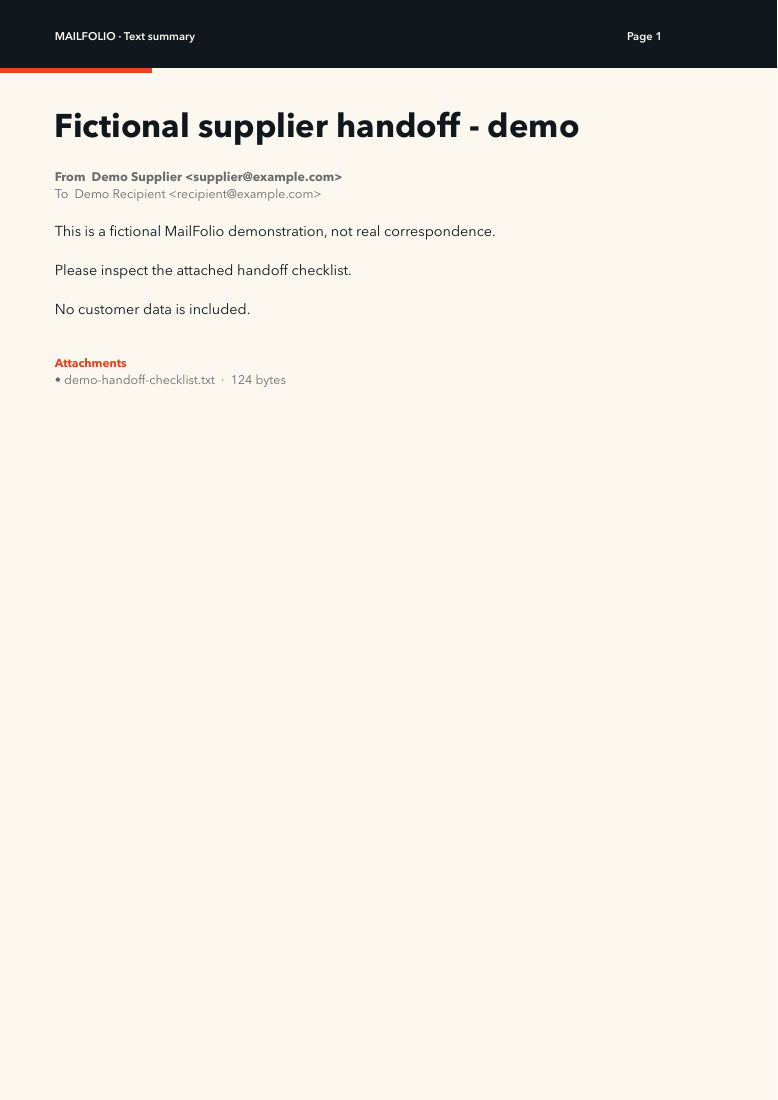
Check the message, PDF and attachment separately
Read the walkthrough transcript · Download the 24-second video
- Open the example MSG. The subject should be “Fictional supplier handoff - demo” and the sender
supplier@example.com. - Confirm that the message lists one attachment,
demo-handoff-checklist.txt. With Pro, preview it and save a separate copy. - With Pro, export the message PDF. Compare its sender, recipient, subject and body with the message.
- Keep the MSG, PDF summary and saved attachment together. The PDF summary does not embed the original attachment or reproduce Outlook’s full layout.
The production parser extracted the sample attachment byte for byte unchanged in our 9 September 2026 check. If an attachment is missing or the body differs in your file, keep the original and request the source attachment from the sender.
THE LOCAL ROUTE
Four steps. No upload.
- 01
Open the MSG file
Use Finder, Files, Mail, AirDrop or MailFolio’s Open button to select the Outlook message.
- 02
Check the decoded message
Verify the subject, sender, recipients, date and body before exporting. Review any parser warnings if the source file is damaged or unusual.
- 03
Choose Searchable PDF
Open the Export menu and select Searchable PDF. For an MBOX archive, you can instead choose Entire archive as PDF.
- 04
Save or share the PDF
Choose a destination in Files or Finder. The original message remains unchanged, and MailFolio does not upload it to create the PDF.
WHAT TO EXPECT
What the PDF is good for
- A readable record that does not require Outlook
- Text that can be searched in a PDF viewer
- A straightforward file for a case or project folder
- A local alternative to browser-based conversion services
TRY YOUR OWN FILE
Three successful imports are free.
No account and no subscription. Pro is one purchase shared across iPhone, iPad and Mac. Check your local App Store for the current price.